Welcome to your project dashboard
Everything about your project with Refresh, in one place. These pages explain how it works, in plain English.
Your dashboard at dashboard.refresh.gg is where you and the Refresh team work on your project together. Instead of searching through old emails for a link or a decision, it all lives here.
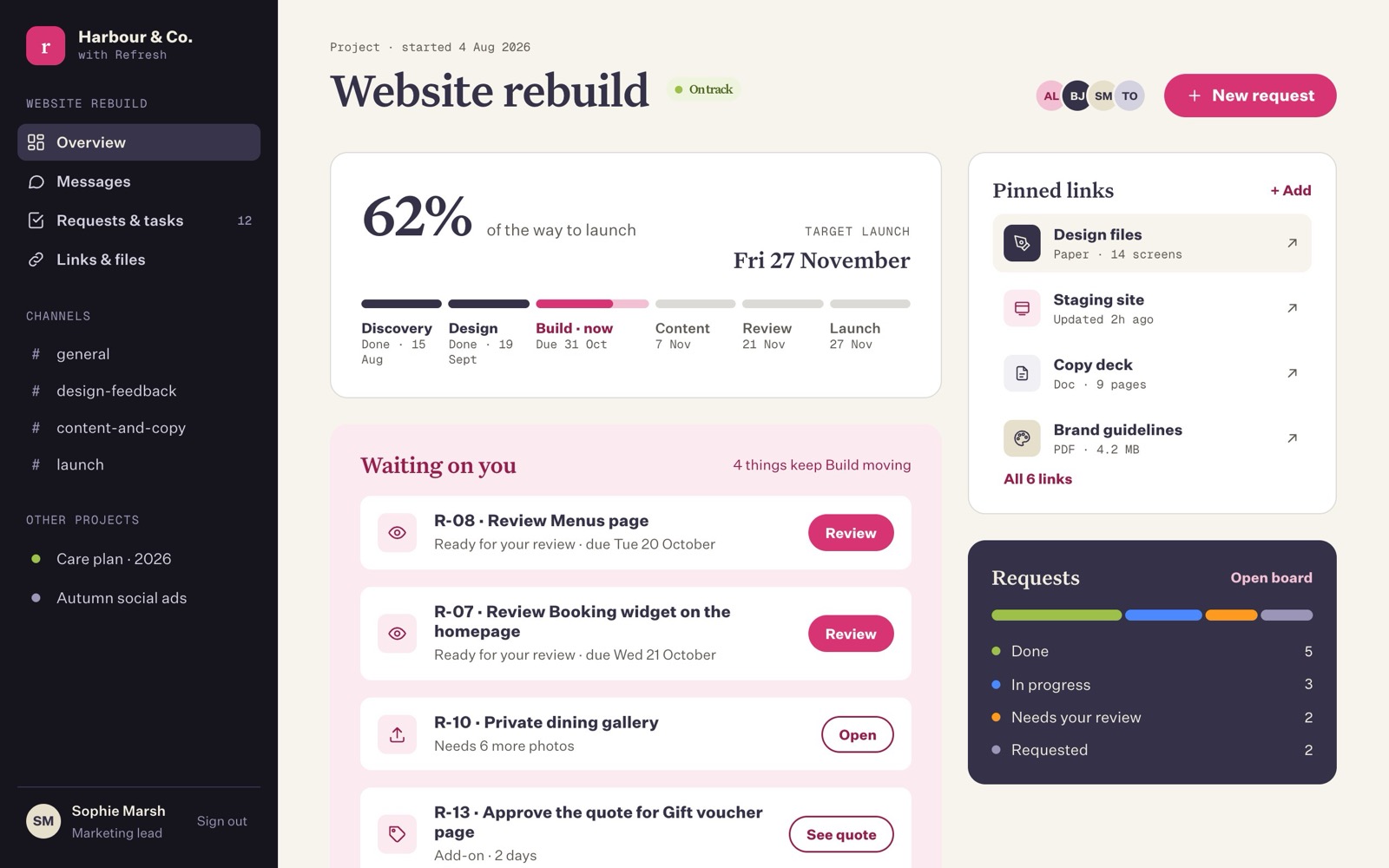
What you can do there
- See how far along things are. A single figure shows how close your project is to launch, with each stage (for example Design or Build) listed underneath.
- See what we need from you. The "Waiting on you" list shows anything we can't move forward without you, such as work to look over or a price to approve.
- Chat with the team. Messages are live, like a group chat, and kept in channels so conversations about different things stay tidy.
- Ask for things. Changes, new pages, questions: each one becomes a numbered request so nothing gets lost.
- Approve work, or ask for changes. One click to say it's good, or a short note to say what needs changing.
- Keep links and files to hand. The test version of your site, design files and documents are pinned where everyone can find them.
Where to start
QuickstartYour first ten minutes, step by step.
Signing inNo passwords. How the email link works.
Requests and tasksAsk for things, approve work and quotes.
FAQ and troubleshootingDidn't get the email? Start here.
A few words we use
| Word | What it means |
|---|---|
| Project | One piece of work with us, for example "Website rebuild". You might have more than one. |
| Phase | A stage of the project, such as Discovery, Design, Build, Content, Review and Launch. |
| Request | Something you've asked for (or we've noted for you). Each has a number like R-07. |
| Channel | A chat room inside your project, such as #general. |
| Staging site | A private test copy of your new website, where we build and you look things over before it goes live. |
| Quote | A price for something outside the original plan. Nothing extra starts until you approve it. |
Last updated on 18 October 2026